Add categories / subcategories
You can add categories and subcategories to wordpress in 2 different ways.
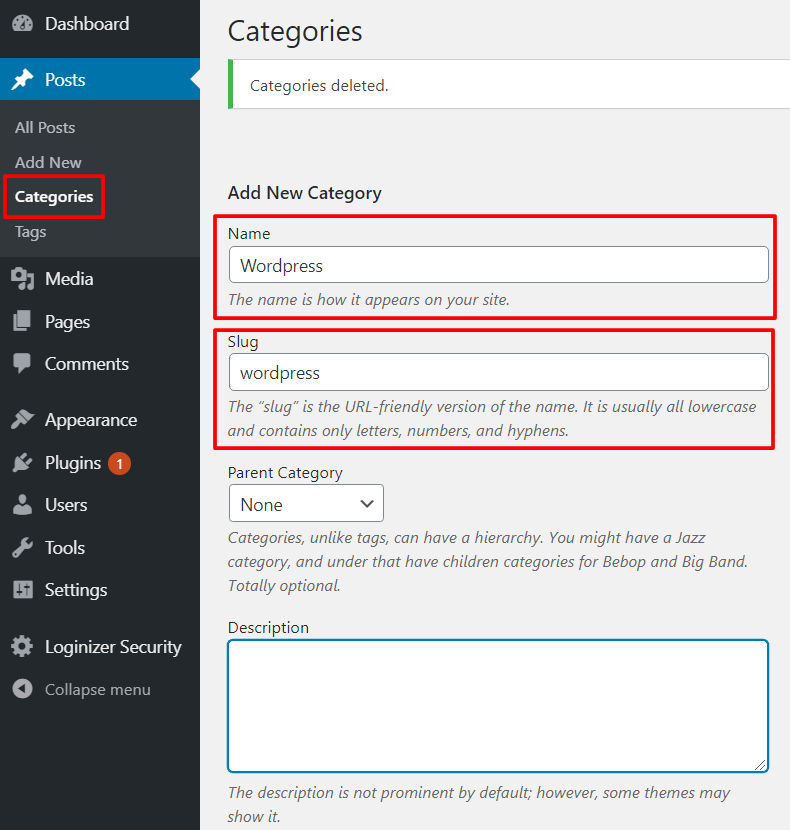
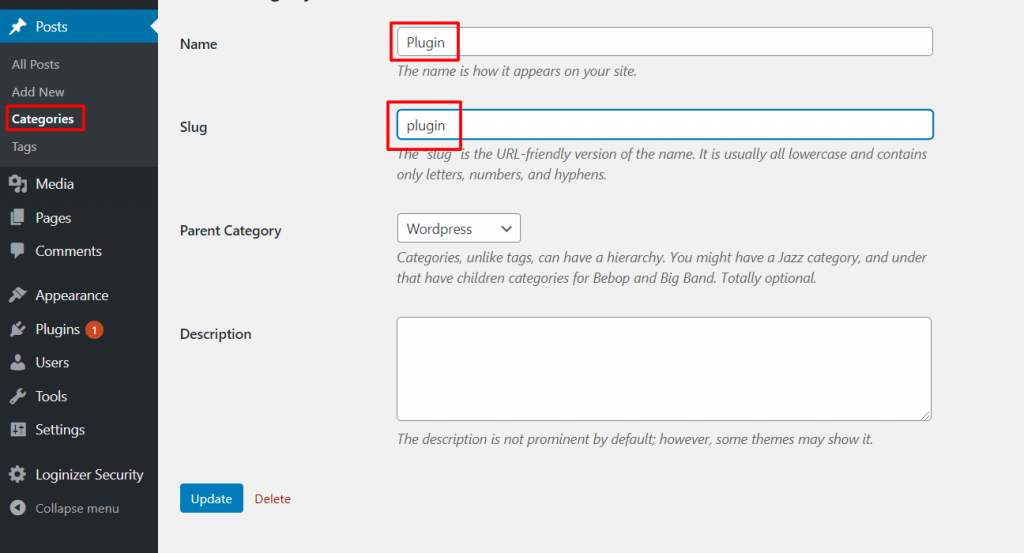
1) Clicking on Categories inside Posts menu (Posts > Categories) and then fill in the fields Name and Slug:
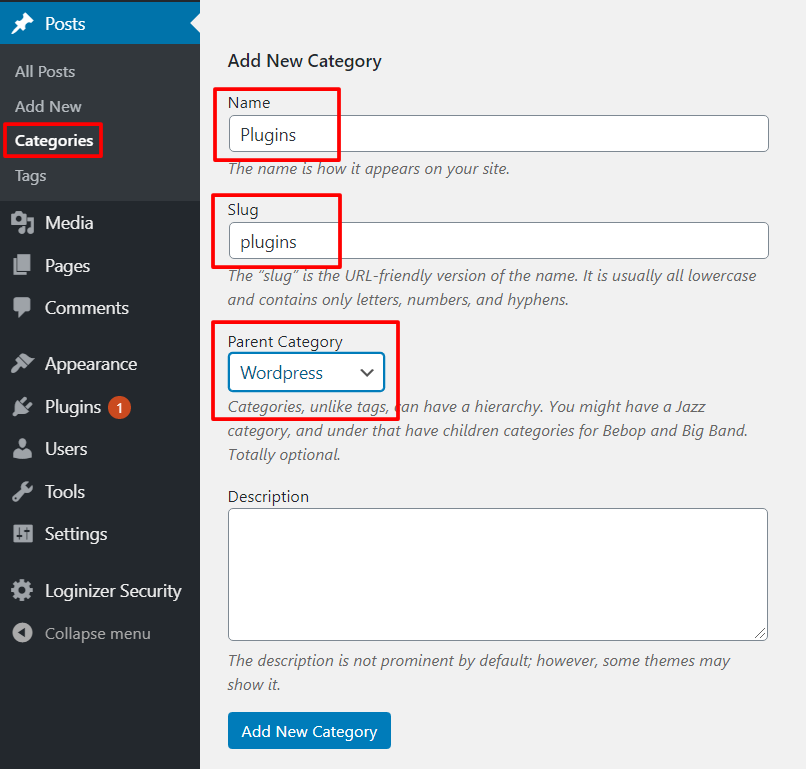
For subcategories the process is similar. On the same page fill in the name of the subcategory, slug and specify the “Parent Category” like the image below:
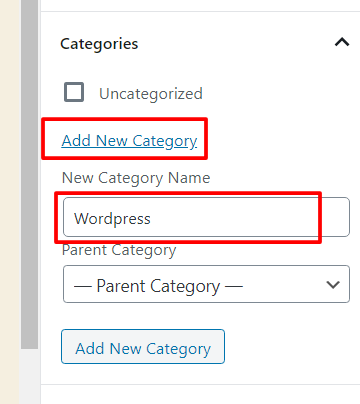
2) Inside the “Add New” post page, on the right sidebar click on “Add New Category” and fill in the category name on ” New Category Name” field:
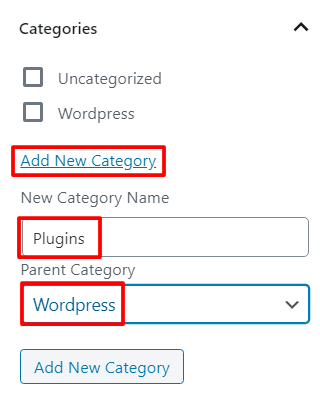
For the subcategory, the process is also similar. Click on “Add New Category”, then fill in the field “New Category Name” with the desired subcategory name. Now, select the “Parent Category” name like the image below:
Edit categories / subcategories
They can only be edited on the Categories page, inside the Posts menu.
For each of them the process is pretty straightforward. Just click on the one you want to edit and on the upcoming page, click the input box and insert the new desired name.
Delete categories / subcategories
Once again, the categories and subcategories can only be deleted on the Categories page, inside the Posts menu.
Once, inside this page just check the categories/subcategories you want to delete on the right side, then go to “Bulk Actions”, select Delete and hit the “Apply” button.
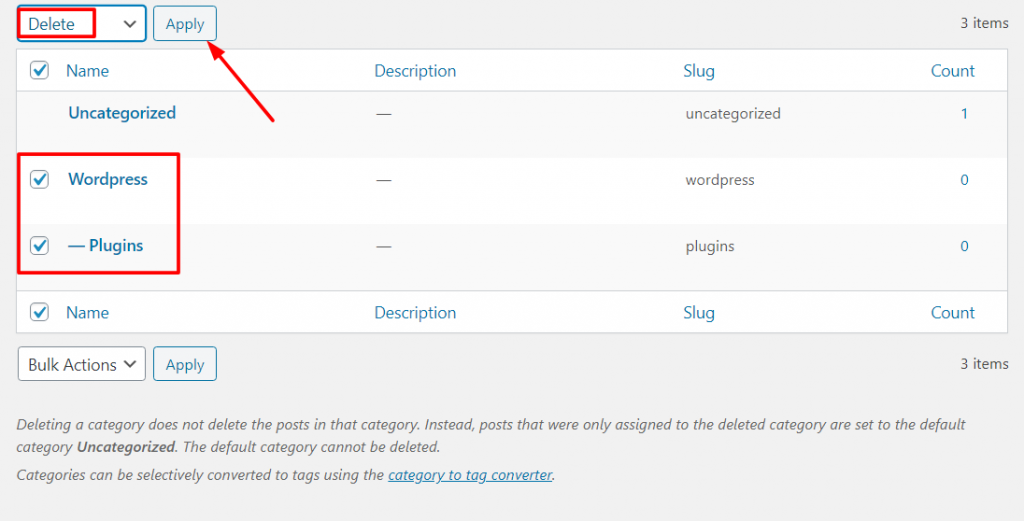
Alternatively, you can hover the Category you want to delete and a couple of additional options will appear. Click on “delete” and the category will be removed.
Or, simply click on the category you want to remove and inside the upcoming page click the “delete” button next to the “Update” button.